Terminal coding agent
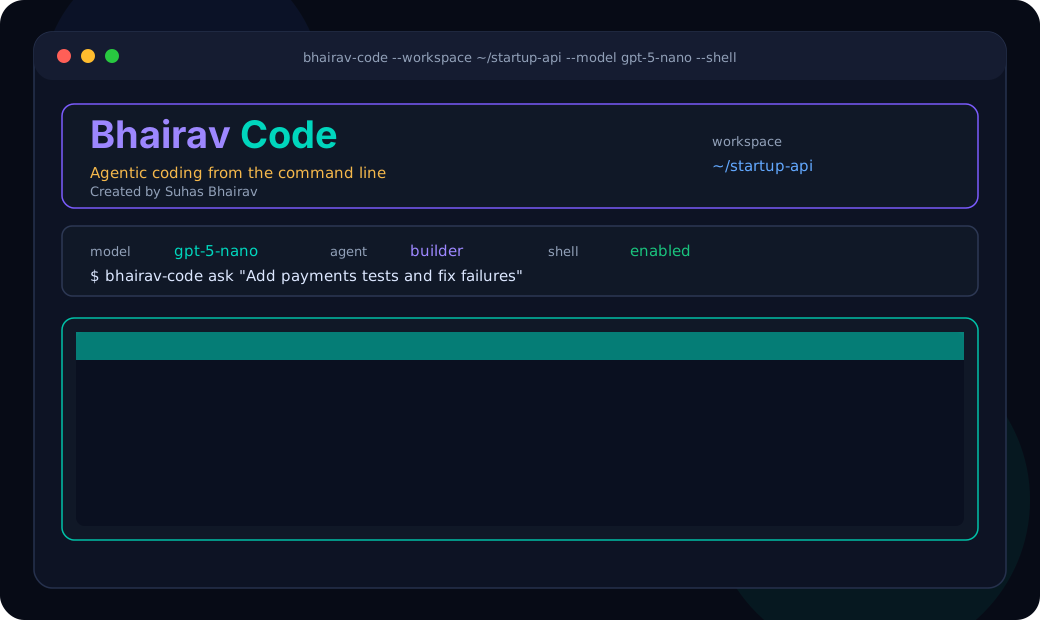
Interactive chat mode and one-shot task mode with a branded rich terminal interface, markdown rendering, activity events, model context, workspace context, and tool summaries.
A Python-first coding agent CLI built for real project work: model switching, plugin-style skills, custom agents, multi-agent orchestration, guarded file tools, shell execution, an API server, and a live UI mockup viewer.
OpenAI, OpenRouter, Ollama, Anthropic-ready
Skills, tools, and agents as replaceable plugins
Live terminal activity feed with file edits and tests
Real-time design viewer for UI mockups
Open-source product foundation
Bhairav Code is built in the spirit of modern coding agents such as Cursor, Claude Code, and OpenCode, but focuses on a Python-native terminal workflow where the user can see each planning step, active agent, file edit, shell command, validation pass, and project artifact as it happens.
Bhairav Code is an open-source terminal coding agent created by Suhas Bhairav. It lets developers create new Python projects, edit existing repositories, switch between model providers, define reusable skills, create custom agents, run multi-agent workflows, launch a mockup viewer, and verify work from the command line.
Interactive chat mode and one-shot task mode with a branded rich terminal interface, markdown rendering, activity events, model context, workspace context, and tool summaries.
Models, providers, tool registry, skills, agents, terminal UI, API routes, and mockup viewer can be replaced or extended without rewriting the whole runtime.
Create specialized agents for planning, building, reviewing, testing, refactoring, UI design, documentation, and release work, then run them together and synthesize outputs.
Launch a local browser studio with HTML and CSS editors, instant iframe preview, desktop/tablet/mobile modes, and saved mockups inside the project workspace.
Agents can inspect trees, list files, read files, write files, replace exact text, search repositories, run allowlisted commands, and stay inside the configured workspace.
Create a tested Python package with pyproject.toml, source files, CLI entry point, operations module, README, and tests without relying on model randomness.
Parallel project execution
Reads the repository, identifies constraints, chooses tools, and breaks the request into safe work units.
Applies file edits, writes new modules, updates docs, and keeps changes scoped to the active workspace.
Checks regressions, missing tests, command output, naming consistency, and production-readiness gaps.
Any-model routing
.env example
OPENAI_API_KEY=sk-...
OPENROUTER_API_KEY=sk-or-...
BHAIRAV_CODE_MODEL=gpt-5-nano
BHAIRAV_CODE_BASE_URL=https://api.openai.com/v1
BHAIRAV_CODE_OPENROUTER_BASE_URL=https://openrouter.ai/api/v1
BHAIRAV_CODE_OLLAMA_BASE_URL=http://127.0.0.1:11434/v1
BHAIRAV_CODE_WORKSPACE=.
BHAIRAV_CODE_MAX_TOOL_ROUNDS=12
BHAIRAV_CODE_ALLOW_SHELL=false
OPENAI_API_KEYBHAIRAV_CODE_API_KEYBHAIRAV_CODE_MODELBHAIRAV_CODE_BASE_URLUse GPT models for fast coding, planning, test writing, repo review, and OpenAI-compatible endpoints.
BHAIRAV_CODE_OPENROUTER_API_KEYOPENROUTER_API_KEYBHAIRAV_CODE_OPENROUTER_BASE_URLRoute to many hosted coding and reasoning models behind one OpenAI-compatible provider.
BHAIRAV_CODE_OLLAMA_BASE_URLRun local models for private, offline, low-cost, or experimental coding workflows.
BHAIRAV_CODE_ANTHROPIC_API_KEYUse the Anthropic provider slot for Claude-style model routes and future Claude-compatible adapters.
Plugins, skills, agents
Bhairav Code stores reusable project behavior inside the target workspace, which makes teams able to version custom instructions, role definitions, and project-specific automation alongside code.
.bhairav-code/plugins/*.jsonReusable instruction packs such as Python refactoring discipline, frontend review, documentation writing, security review, or release preparation.
.bhairav-code/agents/*.jsonNamed coding roles with their own model, system prompt, attached skills, and shell policy.
.bhairav-code/mockups/*.jsonSaved HTML/CSS design states rendered through the local UI mockup viewer.
bhairav-code chat --workspace .
bhairav-code ask "Add tests for this module and run them" --workspace . --shell
bhairav-code ask "Review this repository" --model openrouter/anthropic/claude-sonnet-4 --workspace .
ollama pull qwen2.5-coder:7b
ollama serve
bhairav-code ask "Review this project" --model ollama/qwen2.5-coder:7b --workspace .
bhairav-code mockups --workspace .
open http://127.0.0.1:8765/mockups
bhairav-code projects create-python --workspace /tmp/bhairav-code-e2e --package-name calc_service
cd /tmp/bhairav-code-e2e
pytest
python -m calc_service multiply 6 7
Architecture and verification
Typer commands for chat, ask, models, skills, agents, mockups, server, and project generation.
Agent runner controls planning rounds, tool calls, messages, events, and final responses.
Provider factory dispatches OpenAI-compatible, OpenRouter, Ollama, local fallback, and Anthropic routes.
Workspace-safe functions for file inspection, patching, searching, shell execution, and deterministic generators.
Plugin manager loads reusable skill prompts from workspace JSON manifests.
Multi-agent runner executes named agents and can synthesize raw outputs into a final answer.
Rich-powered panels, status animations, live activity rows, command summaries, and branded copy.
FastAPI and static UI assets power the real-time browser mockup studio.
ruff check . -> all checks passed
pytest -> 16 passed
docs-site npm run build -> generated static docs successfully
bhairav-code projects create-python -> wrote pyproject, README, src package, CLI, operations module, and tests
generated project pytest -> 6 passed
python -m calc_service multiply 6 7 -> 42.0
calc-service subtract 9 4 -> 5.0
AEO and FAQ
Bhairav Code is an open-source Python command-line coding agent for creating projects, editing existing repositories, running tests, switching model providers, and orchestrating multiple specialist agents.
Run bhairav-code from any directory and pass --workspace with the target path, or cd into the repository and run bhairav-code chat --workspace .
Yes. Bhairav Code has provider routing for OpenAI-compatible models, OpenRouter-hosted models, and local Ollama models configured through BHAIRAV_CODE_* and standard provider environment variables.
Yes. Skills, tools, agents, and model adapters are structured as replaceable modules so teams can add domain-specific behavior without rewriting the core runtime.
Yes. The CLI can launch a Python-served UI design studio with live HTML and CSS editors, instant preview, desktop/tablet/mobile modes, and saved mockups.
Build with Bhairav Code